Use case
Prepare work for AI agents: measure it, standardize it, then plan the move
To prepare work for AI agents, first measure how a task is done and agree the approved way of doing it. Agent Studio in Opus (task mining) measures a recorded task and its variation, and Via (transformation planning) plans the move as a governed program.
What goes wrong when work is handed over unprepared
An AI agent is software that uses AI to complete multi-step tasks with limited supervision. That only works on a task that is understood and agreed.
Too many ways to do the task
If people do a task in several different ways, there is no single version for an AI agent to follow.
Exceptions nobody counted
Cases that need judgment or a second attempt are easy to miss until an AI agent runs into them.
No baseline to plan against
Without the task's time and cost today, the move is hard to plan and its results are hard to judge.
How do you prepare work for AI agents with Optimus Hive?
Measure the task, see how much it varies, agree the approved method and its exceptions, then plan the move in Via.
Measure the task
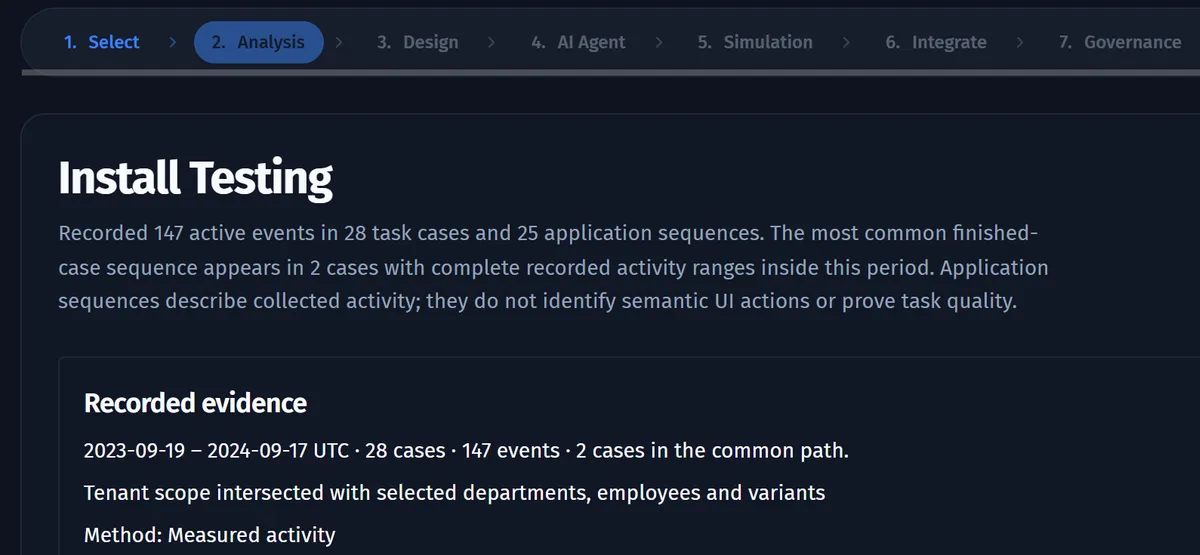
Agent Studio in Opus starts from the evidence: the task's recorded cases, the source events behind them and the most common application path.
See how much it varies
The task process map shows how many variants the task has and what each costs, so you see whether one stable way of working exists.
Agree the approved method
Analysts mark the best recorded run as the approved way of working, and review the exceptions employees logged while doing the task.
Plan the move in Via
Your team takes the measured task into Via. Via plans the move as a program of initiatives and change requests, on Kanban boards and a Gantt timeline.
Draft and price the agent
Agent Studio in Opus drafts the agent's configuration, tools, validation rules and guardrails, including a list of personal data to mask, for your team to review. Agent Studio needs an AI provider set up for your workspace, and its AI drafts are not part of the free trial. In Via, your team then sets the task's future performer as an AI-agent role and compares the cost with today's.
What you get: a measured, agreed task and a plan to move it
You get a task that is measured and standardized, a starting point for the builders, and a governed plan for moving the work.
The task's measured profile
Recorded cases, source events and the most common application path, from Agent Studio's analysis of the task.
Its variation and cost
How many ways the task is done, and the average cost of a case for each way.
An approved way of working
The best recorded run, marked as the approved method, alongside the exceptions employees logged.
A workflow draft
A workflow that Opus drafts with AI from an approved recorded run, as a starting point for the people who build the agent. Drafting uses the AI provider set up in your workspace and is not included in the free trial.
Guidance for work that stays with people
For the work people keep, Desktop Copilot shows the approved method as an on-screen checklist in the matching application.
A program plan
Initiatives and change requests for the move, laid out on Kanban boards and a Gantt timeline in Via.
Questions about preparing work for AI agents
Transformation and automation leads ask these questions before they hand a task to an AI agent.
How do we know a task is ready for an AI agent?
Judge the task on its evidence, not on a single number: how often it runs, how much it varies, what each case costs and which exceptions arise. Opus gives you each of these from recorded work, and Agent Studio in Opus measures the task before any design work starts. Your team makes the call.
Who builds the AI agent once the work is prepared?
Your team builds and runs the agent, not Optimus Hive. Optimus Hive gives the builders a measured task, an approved method and a workflow that AI drafts from an approved recorded run. That workflow draft needs the AI provider set up in your workspace and cannot be made in the free trial. Via then plans the move as a program, so each change has an owner and a date.
What happens to the work that stays with people?
People keep doing it the approved way, with on-screen guidance. Desktop Copilot in Opus shows the approved steps, tips and links to procedures as a checklist in the matching application. Desktop Copilot guides the employee and leaves the task in the employee's hands.
Prepare one task for an AI agent in a demo
Request a demo and name a task you want to hand to an AI agent. We'll show how Opus measures it and how Via plans its move.