Transformation program governance
Govern the move as one program, from pain points and change requests to initiatives delivered on Kanban and Gantt.
Role
An AI transformation roadmap sets out which work moves to AI agents, in what order, and how the change is governed. Via (transformation planning) holds the roadmap as a program of initiatives and change requests on a Gantt timeline, and your team brings in the evidence.
This page covers planning and governing the move to AI agents. Finding and designing each automation is the automation CoE's part of the work.
Via plans each transformation as a program with its own dates, and every view is scoped to the active program. Change requests group into initiatives, each with an owner, effort, complexity, dates, estimated cost and business benefits.
Each change request moves from Backlog to Closed through a status workflow, with its automation type, implementation and rollback plans, and a scheduled date. Initiatives and change requests move across Kanban boards, and initiatives sit on a Gantt timeline.
Via lists your costliest tasks and processes, and the pain points that have no change request yet. Where an administrator turns it on, Opus (task mining) shows where people already use the AI tools you list.
In Via, each task has a current and a future performer, a human role or an AI-agent role, each with an hourly cost. Via calculates hours, cost and savings and builds the business case with ROI and payback. Via then compares forecast with realized savings, using the actuals your team enters.
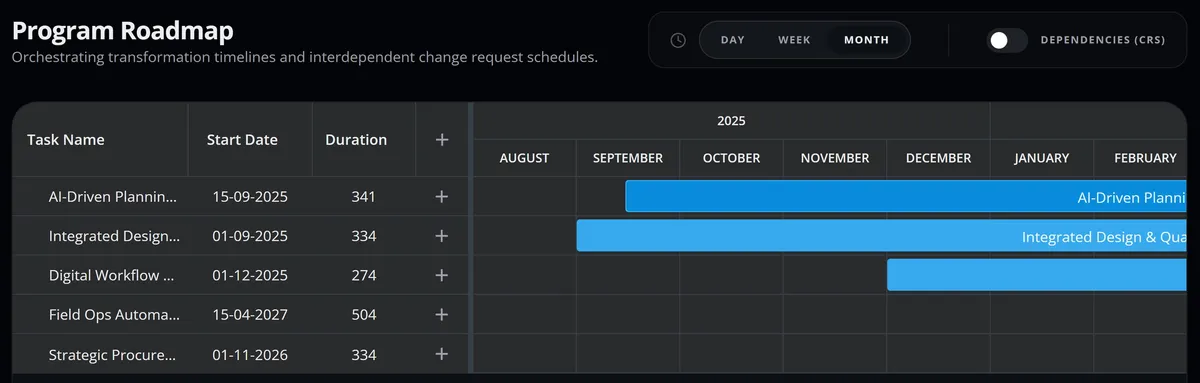
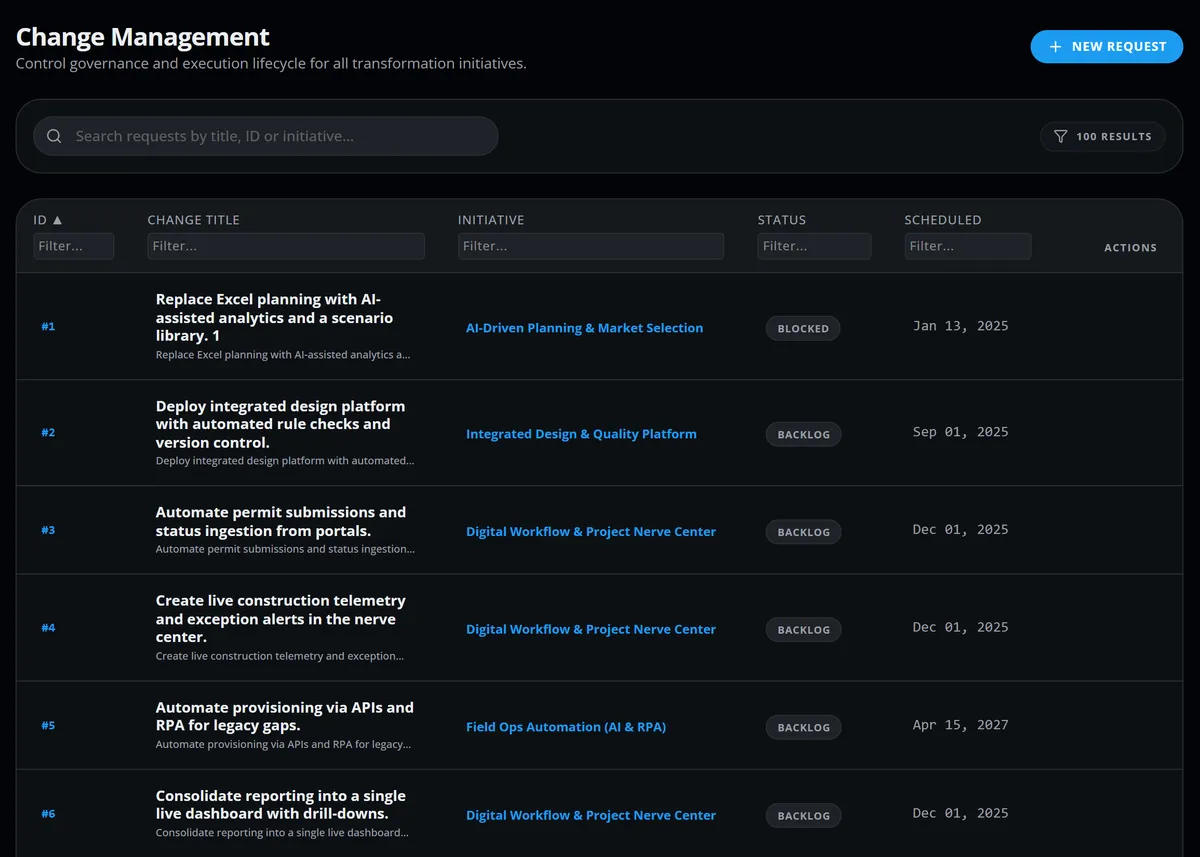
Via carries the program day to day in the Gantt timeline of initiatives and in the change requests, shown as a list or on a Kanban board.
Initiatives set against the program's calendar, with the change requests that belong to each one when you switch them on.
The list shows each change request with its initiative, status and scheduled date. The Kanban board groups them by delivery stage, each linked to its initiative and tagged with its type.
Every scheduled change in the program, shown on one calendar.
Via models how each task splits between human and AI-agent roles, and tracks the value. Your team enters the roles, times and monthly actuals.
AI Hour Adoption shows the share of planned future hours assigned to AI-agent roles, beside human and AI-agent hours now and in the plan.
Move work from one role to another, automate a share of a task's time or remove a task, and compare the cost before you commit.
Monthly actuals from your team, compared with the forecast savings for each initiative.
Average case duration, recorded cost and automation rate measured from your process events, shown beside Via's value tracking.
AI-agent designs are drafted in Agent Studio in Opus for your team to review, and your team brings each design into the plan. Agent Studio needs an AI provider set up for your workspace, and its AI drafts are not part of the free trial.
These pages go deeper on the program side of the move.
Govern the move as one program, from pain points and change requests to initiatives delivered on Kanban and Gantt.
See how each task is measured and standardized before it enters the roadmap.
Decide which work moves from people to AI agents, and plan the change as a governed program.
Each of these roles asks a different question of the same program.
Which of our work should AI agents take on first, and what is it worth?
Delivered by Opus, Favus and Via
Can we roll this out and control it on our estate?
Delivered by Opus
What does our manual work cost, and what will the move cost?
Delivered by Opus and Via
Where do we automate next, and how do we design it?
Delivered by Opus and Favus
Short answers on how Via supports a roadmap you can defend.
Your team brings the findings from Opus and Favus into Via; nothing flows into Via automatically. Each change request can link to the pain point, task, process and initiative it addresses. A roadmap item then points back to the logged problem behind it.
No: Via plans, prices and tracks the move of work to AI agents, but it does not build, deploy or run them. In Via, an AI agent is a role with an hourly cost that your team assigns to tasks in the future-state plan. AI-agent designs are drafted in Agent Studio in Opus, for your team to review. Agent Studio needs an AI provider set up for your workspace, and its AI drafts are not part of the free trial.
Request a demo to see how Via plans the move to AI agents as a governed program, from evidence gathered in Opus and Favus.