Via (transformation planning)
Plans, prices and tracks the move of work to AI agents, and governs it as a program your team can follow.
Via (transformation planning)
Agentic workforce planning is deciding which work moves from people to AI agents, and planning that change. Via (transformation planning) plans the move as a governed program of initiatives and change requests, laid out on a Kanban board and a Gantt timeline.
Agentic workforce planning is the planning of which tasks move from people to AI agents, on what evidence and in what order.
An agentic workforce is one in which AI agents carry out defined tasks alongside people, while people set goals and oversee the work. Planning that workforce starts from evidence of how each task is done today, and ends in a program your team can govern.
Via turns your team's decisions into a program: initiatives that group change requests, delivered on Kanban boards and a Gantt timeline.
See the full product on the Via agentic workforce transformation page.
Every view in Via is scoped to the active transformation program, so each plan stays separate.
Each change request moves through a status workflow, from backlog to closed, with its own implementation and rollback plans.
Change requests group into initiatives, which your team moves across Kanban boards, a Gantt timeline and a change calendar.
Via lists your costliest tasks and processes, and the pain points that have no change request yet. Your team decides what moves.
Your team adds cost and savings lines to each change request, one-time or recurring.
Your team carries the evidence across Your team brings the findings from Opus and Favus into Via. Nothing flows into Via automatically.
In Via, each task has a current and a future way of working: who performs it, a human role or an AI-agent role, with its time, workload coverage and FTE.
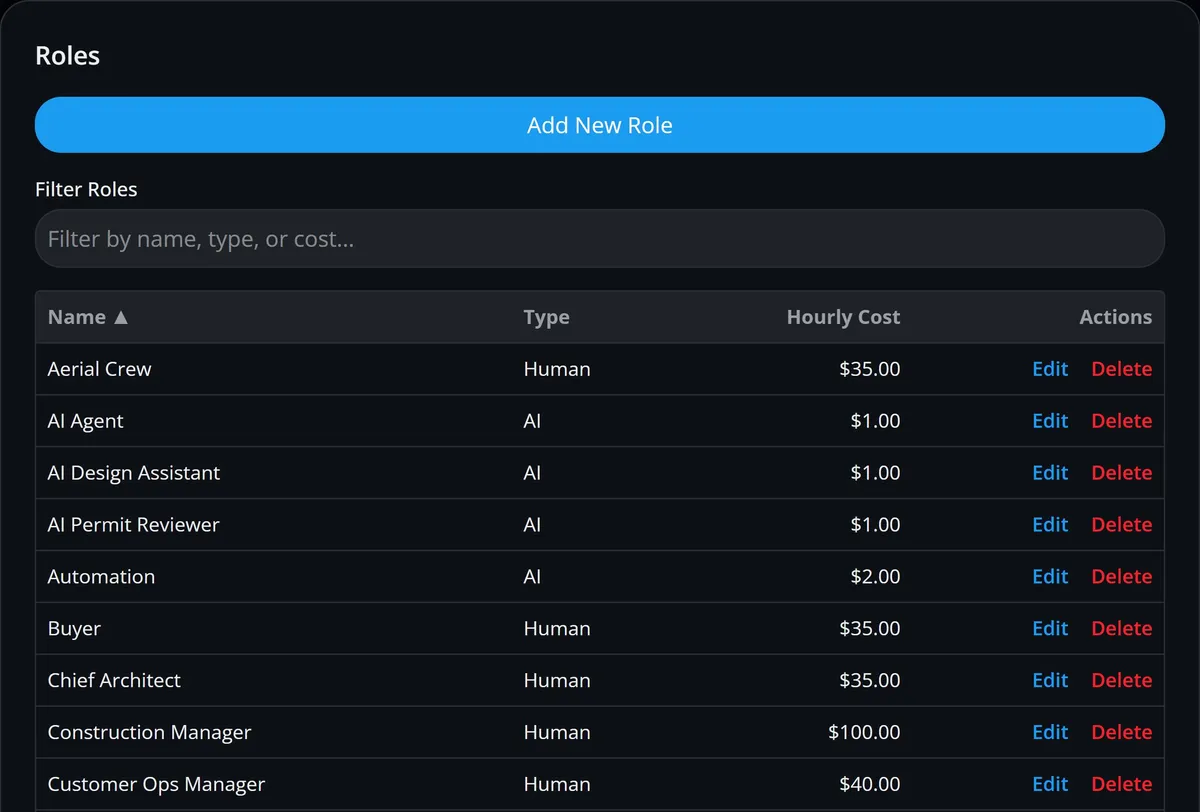
Each role is typed Human or AI and carries an hourly cost, so human and AI-agent work is priced on the same basis.
Via calculates annual hours, cost and savings for each task and process, both today and in the plan.
AI Hour Adoption is the share of planned future hours assigned to AI-agent roles, shown beside human and AI-agent hours now and in the plan.
Try moving work from one role to another, automating part of a task's time or removing a task, and compare the cost. Scenarios are not saved.
Via sets investment against savings for each quarter of the program, with cumulative cash flow, ROI and the payback point.
Each month your team enters actual savings, and Via compares them with the forecast.
Planned and measured, side by side Via tracks savings from the actuals your team enters. Separately, Measured Objectives, measured from your process data (Favus), track average case duration, recorded cost and automation rate.
Via (transformation planning) holds the plan; Opus and Favus supply the evidence your team brings to it.
Plans, prices and tracks the move of work to AI agents, and governs it as a program your team can follow.
Short answers on how agentic workforce planning differs from HR planning, what a change request holds and how evidence reaches Via.
Not quite: HR workforce planning forecasts the people and skills an organization will need, while agentic workforce planning decides which tasks move from people to AI agents. Via plans that second kind of change as a program of initiatives and change requests.
A change request in Via links to a pain point, task, process and initiative, and records its type, status, automation type, implementation and rollback plans, and the systems it affects. Your team can add cost and savings lines to it.
Only one: the unified case timeline, which links Opus desktop activity to Favus business cases. It works once an administrator sets a correlation policy and employees enter the same case ID the business system uses. Favus reads event logs from your business systems, not from Opus. Every other hand-off is made by your team, which enters the tasks, roles, times and monthly actual savings in Via; nothing flows into Via automatically.
Request a demo to see how Via lays out a program for moving work to AI agents, and how your team brings in the evidence from Opus and Favus.