Automation opportunities
Find which recorded tasks cost the most, and where cases wait, before choosing what to move.
Role
Optimus Hive shows operations leaders what each task costs and where processes slow down, so they can choose which work moves to AI agents. Opus (task mining) and Favus (process mining) measure the work; Via (transformation planning) plans the move.
Each answer names the product that supplies the evidence. The same answers serve heads of shared services and process excellence.
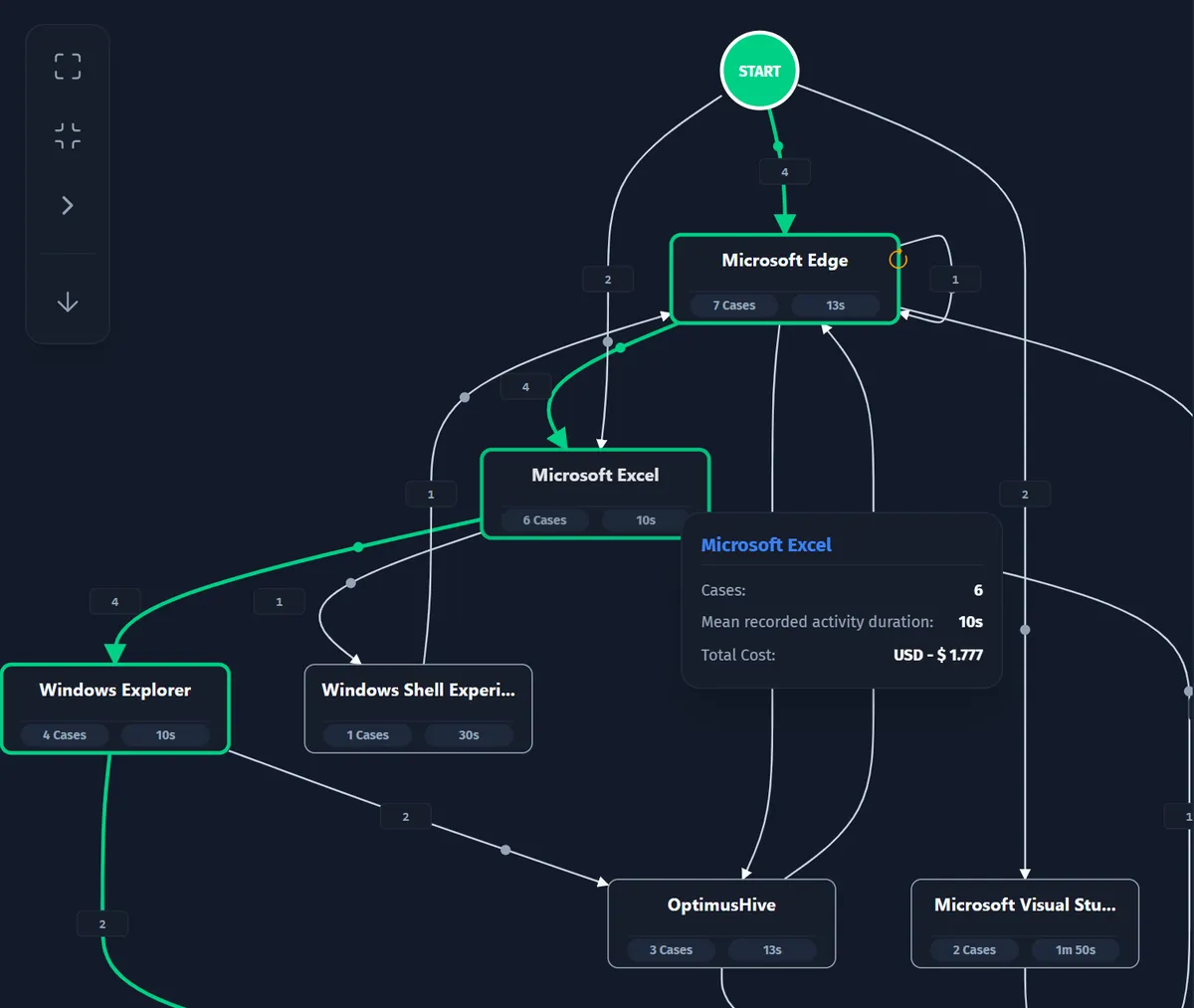
Opus puts a cost on every recorded task case, its duration times the department's hourly or daily rate. The task process map then shows which variants of a task cost the most.
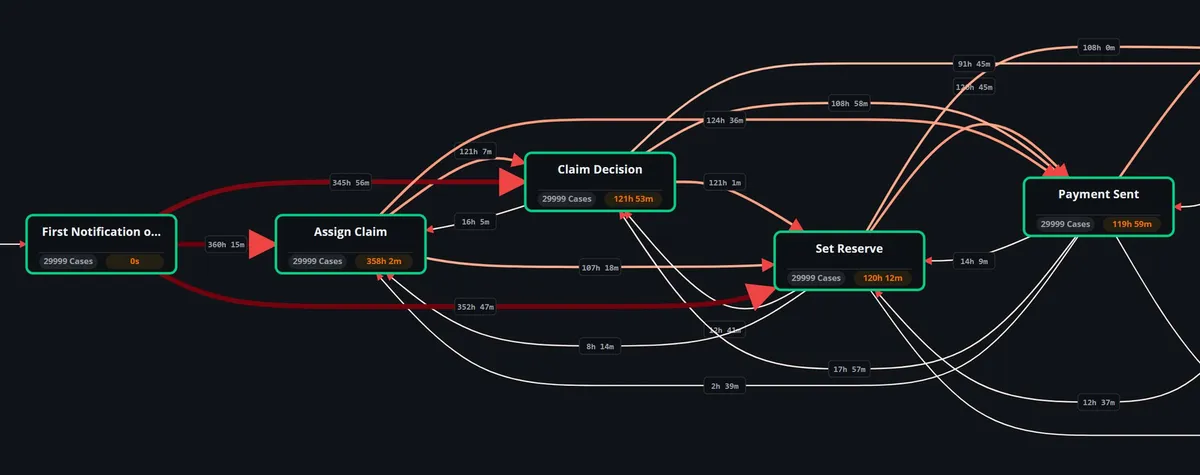
Favus shows where cases wait between steps, and which vendors, customer types or resources have the slowest cases. Opus then shows the desk work inside the slow steps.
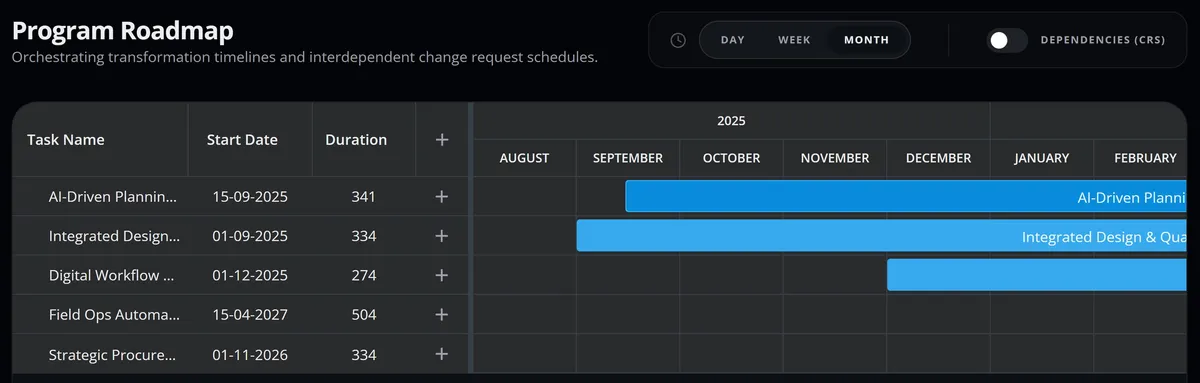
Via plans the move as a governed program of initiatives and change requests, on Kanban boards and a Gantt timeline. Via also lists your costliest tasks and processes, and the pain points with no change request yet.
Opus ranks automation candidates by measured volume, stability and exceptions, against your cost assumptions. Via prices each task's future performer, a human role or an AI-agent role, and builds the business case with ROI and payback.
Two views show the same work: the Opus task process map for the desk steps, and the Favus performance view for the whole process.
Every recorded case of a task, folded into one map with its variants, frequency, duration and average case cost.
The process map colored by the average time between steps, with the slow transitions highlighted.
Briefings of measured KPI changes, sent on a schedule to the people you name, in an in-app inbox and by email.
Via holds the program: initiatives with owners and dates on a Gantt timeline, each with the change requests behind it.
Initiatives laid out across the program's dates, each with its start date and duration. Their change requests can be shown on the same timeline.
Measured Objectives track average case duration, recorded cost and automation rate from your process data, with the events behind each number.
Start from the goal in front of you; each page shows the evidence and the steps.
Find which recorded tasks cost the most, and where cases wait, before choosing what to move.
Locate the steps where cases wait longest, and the detours cases take from the most common path.
Run the move to AI agents as one program, with change requests, initiatives and a delivery timeline.
Map how work runs from recorded desktop tasks and system event logs, rather than from interviews alone.
Colleagues in IT, finance and automation ask different questions of the same evidence.
Can we roll this out and control it on our estate?
Delivered by Opus
What does our manual work cost, and what will the move cost?
Delivered by Opus and Via
Where do we automate next, and how do we design it?
Delivered by Opus and Favus
How do I build a plan for moving work to AI agents that I can defend and track?
Delivered by Opus and Via
Short answers to the questions COOs and operations leaders ask most often.
No: your team decides. Opus and Favus show what the work costs and where it slows down, and Via plans the move as a governed program. The software supplies the evidence and the plan, not the decision.
Opus can send scheduled briefings of measured KPI changes to the people you name, in an in-app inbox and by email. Any KPI can also be saved with its source records and reopened later with the same numbers.
One method is enough for a question at one level; use both when you need the case flow and the desk work behind it. Task mining (Opus) on its own shows how people carry out a desktop task, such as entering an invoice. Process mining (Favus) on its own shows how whole cases move through your business systems. Compare the two side by side in task mining vs process mining.
Request a demo to see what one of your processes costs, where it slows down and how Via would plan its move to AI agents.