
Opus: see how the work is done
Opus is task mining software that records how people work on Windows desktops, so you know what each task involves and costs. Your team can use those task times and costs when it sets up the baseline in Via.
Via (transformation planning)
Via is transformation planning software that plans, prices and tracks the move of work to AI agents. Via models human and AI-agent roles per task, so you decide with a business case.
How Via plans, prices and tracks the move of work from people to AI agents.
Via plans and tracks the change. Via does not build or run AI agents, and it receives no data automatically from Opus (task mining) or Favus (process mining). Figures in the animation are illustrative.
Agentic workforce transformation is the planned move of specific tasks from people to AI agents, based on evidence of how the work is done today. The move needs a business case first and tracked results after.
An agentic workforce is one in which AI agents carry out defined tasks alongside people, while people set goals and oversee the work. An AI agent is software that uses AI to complete multi-step tasks with limited supervision.
Without a costed picture of today's work, a plan to hand tasks to AI agents is hard to approve and harder to track. Via plans, prices and tracks the move: current and future performers per task, a business case, and forecast against realized savings.
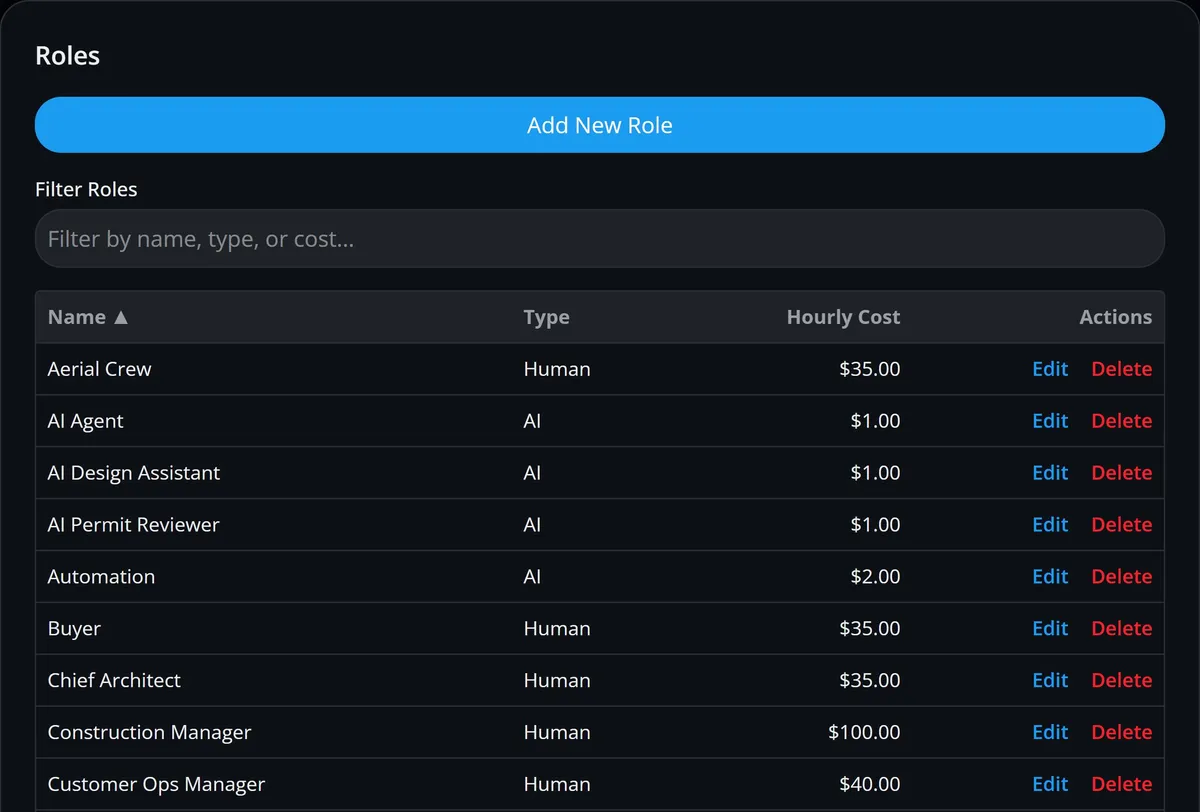
Via records the current and the future way of working for every task, side by side. Each task has a performer, a human role or an AI-agent role with an hourly cost, plus its time, automation share and FTE.
Your team documents your processes, at up to three levels, and the tasks within them: time, volume, frequency, applications used and business rules. Enter them in forms or an editable grid, or import a whole program from a JSON file.
Via's process and task graphs show how the work flows. Switch a task graph between current and future state to see which tasks the plan gives to AI-agent roles. Your team draws and documents these graphs; this is process modeling, not mining from system logs.
| Recorded per task | Current state | Future state (plan) |
|---|---|---|
| Performer | AP clerk (human role) | Invoice-entry agent (AI-agent role) |
| Time per invoice | 10 minutes | 2 minutes |
| Manual vs automated share | Recorded for today | Planned for the future state |
| FTE (full-time equivalents) | 1.2 | 0.2 |
| Annual hours at 12,000 invoices a year | 2,000 | 400 |
| Annual cost | 2,000 hours × the AP clerk role's hourly cost | 400 hours × the agent role's hourly cost |
Illustrative values Your team enters the times, volumes and hourly costs in Via. Via calculates the annual hours and cost from them.
Via calculates annual hours, cost and savings for every task and process, both today and in the plan. Via also shows AI hour adoption: the share of future hours planned for AI-agent roles.
Filter the figures by process level, initiative, role or the automation-potential rating your team gives each task, and export them to Excel.
The share of future-state hours that the plan gives to AI-agent roles. So you can see how far the plan moves work to AI agents.
Hours worked by human roles and by AI-agent roles, today and in the future state. So you can see how the mix of work changes.
Annual cost for each human and AI-agent role, before and after the change. So finance partners can see where the savings come from.
Your five costliest tasks and processes, and the tasks with the most manual hours today. Via ranks them; your team decides which work moves.
Via lets you test options before you commit to a plan. Move work from one role to another, automate tasks by a percentage or remove them, and compare the hours and cost with your baseline.
Scenarios are for exploring and are not saved. When your team settles on an option, it sets that option as the future way of working for each task.
Move the work of one role to another, for example from a human role to an AI-agent role. Apply it to all processes, to selected processes or to selected tasks.
Cut the time of selected tasks by a percentage, or take tasks out of the process altogether.
Adjust workload and rework to see how sensitive the cost is to each.
See baseline and scenario hours and cost side by side, by process and by role.
Via takes your team from a pain point to a costed, prioritized business case. The business case shows investment and savings by quarter, with ROI, payback period and cumulative cash flow.
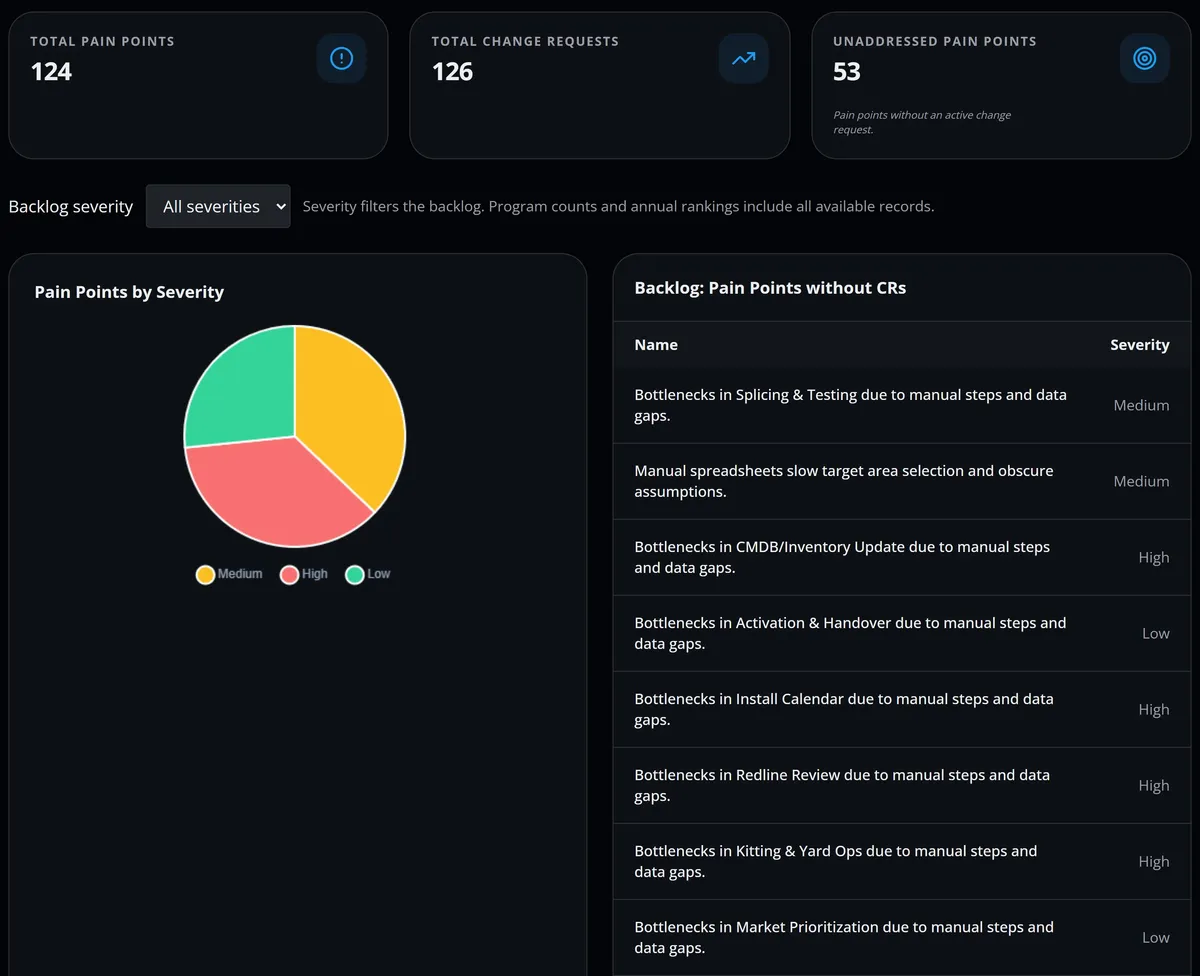
Via also lists the pain points that have no change request yet, so you can see which problems are still unaddressed.
Record a problem against a task or process, with its severity. Via shows the current and future cost of each pain point, and the savings.
Describe the fix, with its type, automation type, implementation plan and rollback plan. Add one-time or recurring costs and the savings it should bring.
Group change requests into initiatives, each with an owner, effort, complexity, dates, estimated cost and business benefits.
Plot initiatives by net cumulative savings against low, medium or high effort. Your team sets the order; no algorithm scores the initiatives.
See investment and savings for each quarter of the program, with net and cumulative cash flow, ROI, payback period and gross margin.
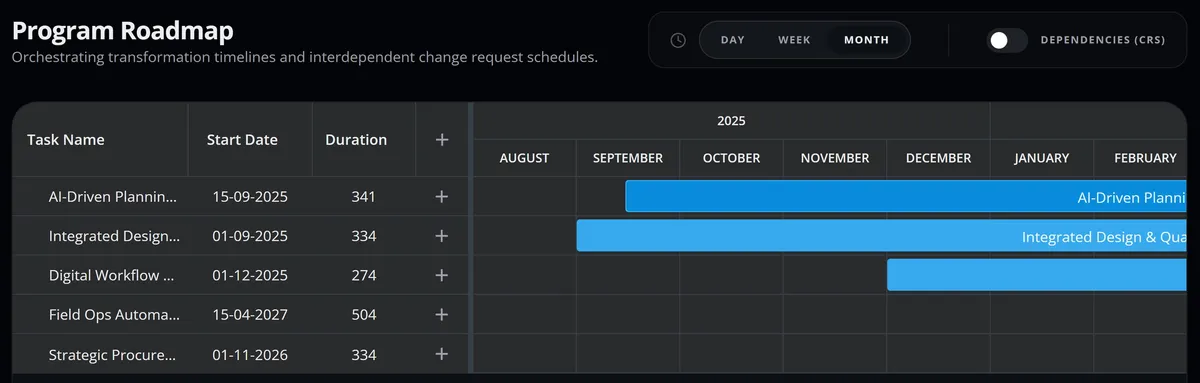
Via plans delivery on Kanban boards, a Gantt timeline and a change calendar, then compares forecast savings with the actual savings your team records. Each change request has fields for an implementation plan and a rollback plan.
Move initiatives and change requests across columns you configure.
Plan initiatives over time, with their change requests shown when you want them.
See every scheduled change in one calendar.
Move each change request from Backlog through submission and review to Approved or Rejected, then to Scheduled, Implemented and Closed.
Each month, enter the actual savings and budget spent for each initiative, plus another KPI if you track one. Via shows forecast against realized savings and the variance, month by month and cumulatively.
How actuals get into Via Your team enters actual savings each month; Via compares them with the forecast.
Via is where your team turns what Opus and Favus show into a costed plan for moving work to AI agents. Opus, Favus and Via are the three products of Optimus Hive, on one platform.
AI-agent designs are drafted in Agent Studio in Opus, for your team to review. Agent Studio needs an AI provider set up for your workspace, and its AI drafts are not part of the free trial. In Via, your team then sets up the matching AI-agent role, its hourly cost and the tasks it will take on.
How findings reach Via Nothing flows into Via automatically: your team brings the findings across.
Opus is task mining software that records how people work on Windows desktops, so you know what each task involves and costs. Your team can use those task times and costs when it sets up the baseline in Via.

Favus is process mining software that turns event logs from your business systems into process maps, so you see how end-to-end processes really run. Your team can log what it finds as pain points in Via.
Transformation leaders and finance partners ask what Via does, what it does not do, and how it supports decisions about moving work to AI agents.
No: Via plans, prices and tracks the move of work to AI agents, but it does not build, deploy or run them. In Via, an AI agent is a role with an hourly cost that your team assigns to tasks in the future-state plan. AI-agent designs are drafted in Agent Studio in Opus, for your team to review. Agent Studio needs an AI provider set up for your workspace, and its AI drafts are not part of the free trial.
Via lists the candidates by cost, and your team makes the decision. The list shows your five costliest tasks and processes, and the pain points that have no change request yet. The value-against-effort chart compares initiatives by net savings and effort, and a simulation shows what each option would cost before you commit.
Via's business case sets investment against savings for each quarter of the program, with net and cumulative cash flow, ROI, payback period and gross margin. Each change request carries its own one-time or recurring costs and its expected savings. Each initiative shows its value forecast and the change requests behind it.
Yes: in Via, every task has a current and a future way of working. Your team can redesign the process in the future state before assigning any task to an AI-agent role. You can set each task's future performer, time and automation share, and edit the task flow in Via's graphs. A simulation shows the cost of removing tasks or switching roles before you commit.
Via compares forecast savings with realized savings for each initiative, month by month and cumulatively, and shows the variance. The actual figures come from your team, which enters the savings achieved and the budget spent each month. Via does not measure savings automatically, so agree early where the actual figures will come from.
Yes: Via structures the work as a program that goes from baseline to tracked value. A program holds your processes and tasks with their current and future way of working, then pain points, change requests and initiatives. Initiatives are prioritized and planned on Kanban boards, a Gantt timeline and a change calendar, and value realization tracks forecast against actual savings.
Request a demo and tell us which work you want to move to AI agents. We'll show you how Via models it, prices it and tracks the savings.