Privacy and governance
Every Opus capture control in one place, from the device privacy policy and exclusions to redaction and employee transparency.
Role
Opus (task mining) rolls out to Windows PCs with an MSI installer, one-time device enrollment and signed updates that can reach pilot rings first. Your administrators control capture through a device privacy policy, and the Opus web app supports OpenID Connect single sign-on.
Each answer names the control behind it. Opus records work at the desktop, so none of it needs a connection to your business systems.
IT installs the Opus agent with an MSI package and a configurable server address, then enrolls each PC once with a one-time token. Updates are signed and verified before install, can go to pilot rings first and can be rolled back.
Records wait in an encrypted local store with a key for each device, and travel only over HTTPS. Device credentials can be revoked, and IT can preview exactly what a PC would upload after privacy filtering.
The Opus web app supports OpenID Connect single sign-on, SCIM 2.0 provisioning and Active Directory field mapping. Every app offers authenticator-app MFA, and department administrators see only their own department tree.
Collection operations show ingestion batches, freshness, gaps and source quality for each collector. The agent-health heartbeat reports each enrolled PC's agent version, unsent backlog and free disk space.
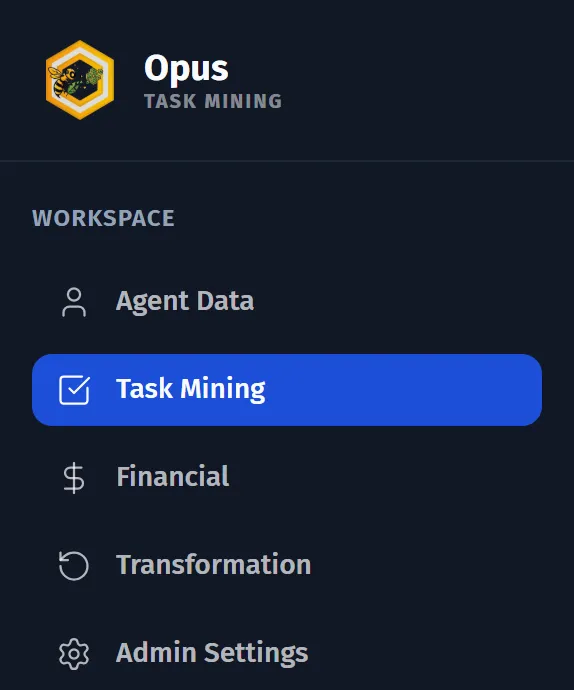
IT runs Opus from the admin screens of the Opus web app: the agent fleet, the device privacy policy and the department settings.
Issue enrollment tokens, revoke devices, publish signed releases by ring and see the outcome of each update.
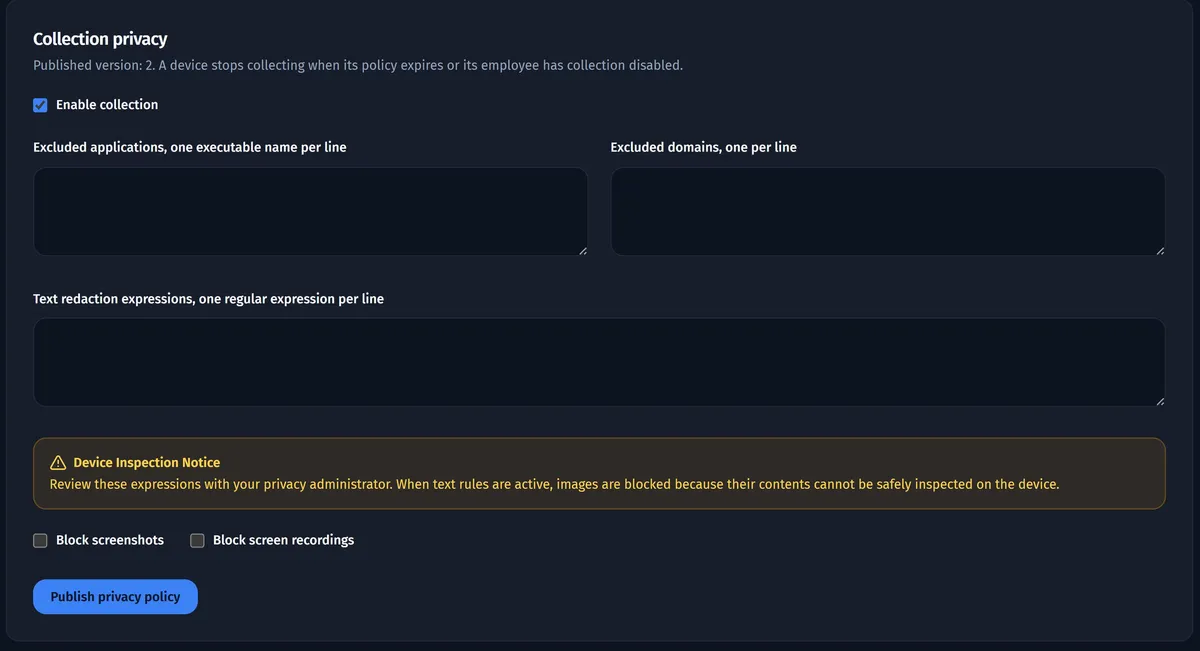
Turn collection on or off, list the applications and websites to exclude, and set up to 100 text-redaction patterns. Screenshots and recordings stay blocked until you allow them.
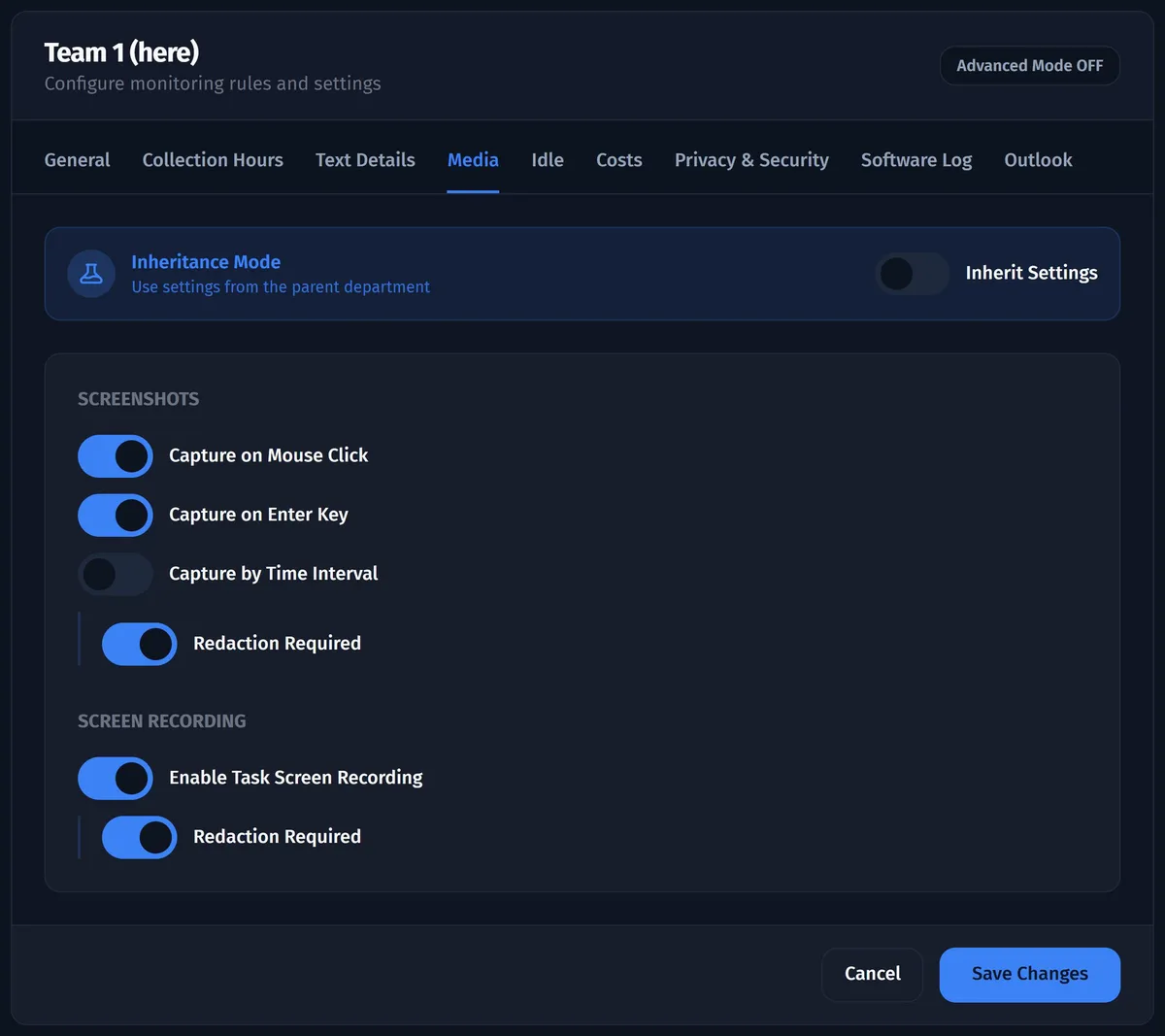
Switch each data type on or off per department, limit capture to working hours and decide whether employees may pause collection.
Opus, Favus and Via share users, roles and your company's own workspace, with a mode switcher between the products.
Beyond capture, IT governs what enters and leaves the platform, and can see which applications people use against the seats you license.
Favus pulls event data on a schedule, every 1 to 1,440 minutes, from any HTTPS JSON API or an approved SQL Server view.
Export jobs for Opus datasets and Favus process events each produce a checksum-verified archive.
Opus compares measured application usage with licensed seats and with job roles, as part of application intelligence.
With the Security add-on, Opus lists the programs installed on each PC, with their version and publisher.
Where an administrator turns it on, Opus shows where people use the AI tools you list.
IT usually joins at rollout; these pages show what the business does with the data.
Every Opus capture control in one place, from the device privacy policy and exclusions to redaction and employee transparency.
See how a recorded task is measured and standardized before anyone designs an AI agent for it.
Document how work is done in your applications today, from recorded cases rather than interviews.
Operations, finance and transformation leaders read the same evidence another way.
Which of our work should AI agents take on first, and what is it worth?
Delivered by Opus, Favus and Via
What does our manual work cost, and what will the move cost?
Delivered by Opus and Via
Where do we automate next, and how do we design it?
Delivered by Opus and Favus
How do I build a plan for moving work to AI agents that I can defend and track?
Delivered by Opus and Via
Short answers to the rollout questions IT teams ask first.
No: Opus records desktop work on Windows PCs only, and there is no Opus agent for macOS or Linux. Analysts, managers and employees open the Opus web portal in a web browser.
Yes: the Opus desktop agent keeps recording offline, holding records in an encrypted local store until it can upload them over HTTPS. Records are deleted from the PC only after the platform confirms receipt. Each privacy-policy copy is valid for six hours, so a PC offline for longer pauses collection until it can refresh the policy.
No: Opus records work at the desktop through its Windows agent, so it needs no connection to your business systems. IT installs the agent with an MSI installer, enrolls each PC once with a one-time token and publishes the device privacy policy. Agent updates are signed and can go to pilot groups first, with rollback. The Opus web app supports OpenID Connect single sign-on and SCIM user provisioning.
Send them to the Optimus Hive team through the contact form. This page describes product controls only, and makes no hosting, region or compliance statement.
Request a demo to walk through the agent fleet, the device privacy policy and single sign-on for the Opus web app with your IT team.