
Blog
How an on-screen task checklist guides people through a standard task
How an on-screen task checklist guides people through a standard task, for operations and transformation leaders who standardize work.
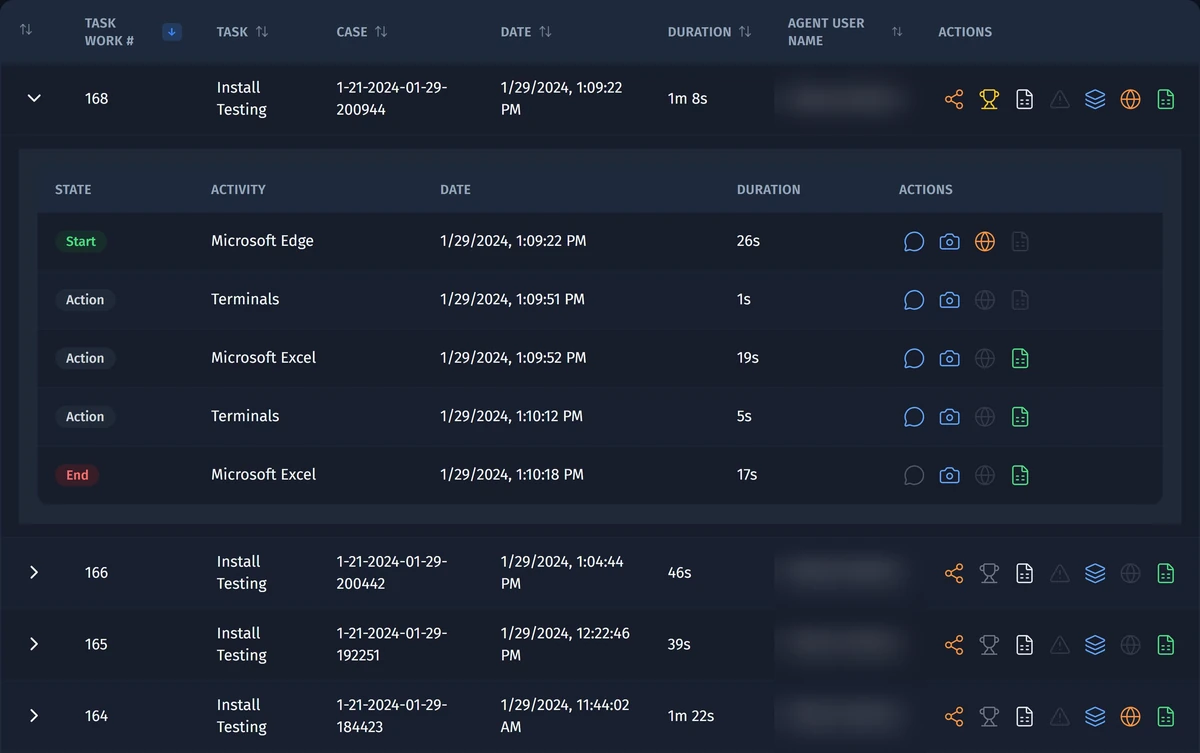
An on-screen task checklist shows the agreed steps of a standard task inside the application where people do that task. The checklist guides each person through the steps in order, at the point of work. Teams use checklists to standardize methods, support new staff and keep a task consistent before automation.
- An on-screen task checklist places the agreed steps of a task inside the application people already use.
- Checklists work best when they reflect an agreed method based on how the task is really done.
- Short, specific steps guide people better than long instructions or general policy text.
- A standardized task with clear steps is easier to measure, improve and later hand to AI agents.
What is an on-screen task checklist?
An on-screen task checklist is a short list of the agreed steps for a standard task, shown inside the application where people do that task. The checklist sits at the point of work, so people follow the method while they work.
A standard task is a piece of work your team repeats often and wants done the same way each time. Examples include entering a supplier invoice, updating a customer record or closing a service request.
An on-screen task checklist differs from a manual or a wiki page. People do not need to leave their application to look up the method. The steps appear where the work happens.
How does an on-screen checklist guide someone through a task?
An on-screen checklist guides someone through a task by showing the next step at the moment the person needs it. The person reads the step, does it and moves on to the following step.
In practice, on-screen checklist guidance usually follows a simple pattern:
- The person opens the application used for the standard task.
- The checklist for that task appears alongside the work.
- The person works through the steps in the agreed order.
- The person reaches the end of the list with the task done the agreed way.
On-screen checklist guidance reduces the need to remember every detail. People spend less effort recalling the method and more effort on the judgment the task still needs.
Checklist guidance also helps with tasks people do rarely. A step that someone performs only now and then is easy to forget, and a visible checklist brings it back to mind.
Where do the steps on a checklist come from?
The steps on a checklist should come from an agreed method that reflects how the task is really done. A checklist built from guesswork or outdated policy guides people toward the wrong steps.
Many teams start from as-is process documentation before they write any checklist steps.
Teams often build a checklist method in a few stages:
- Observe how different people perform the same task today.
- Compare the variations and note where they differ.
- Agree on the best way to perform the task, with the people who do it.
- Write that agreed method as short, ordered steps.
- Review the steps with the team before the checklist goes into use.
Involving the people who do the task matters. They know the exceptions, the shortcuts that work and the steps that often go wrong.
What makes an on-screen checklist useful rather than annoying?
An on-screen checklist is useful when it is short, specific and shown only where it applies. A checklist that is long, vague or shown in the wrong place quickly gets ignored.
Good on-screen checklists tend to share a few qualities:
- Specific steps: each step names a clear action, not a general goal.
- Plain language: steps use the words your team already uses for the task.
- Right context: the checklist appears in the application where the task happens.
- Sensible length: the list covers the steps that matter, not every possible detail.
- Kept current: owners update the steps when the method changes.
Ownership is often the weak point. When nobody owns an on-screen checklist, the steps drift away from how the work is really done. Assign a clear owner for each standard method.
How Optimus Hive handles on-screen checklists
Optimus Hive handles on-screen checklists through Desktop Copilot in Opus, part of Opus task mining software. The approved method appears in each employee's Task Library and, through Desktop Copilot in Opus, as an on-screen checklist in the matching application. Desktop Copilot is on unless a department turns it off.
Desktop Copilot in Opus guides people, not AI agents: your team sees the approved method as an on-screen checklist in the matching application. Desktop Copilot is on unless a department turns it off.
Why do on-screen checklists matter before automation?
On-screen checklists matter before automation because a task that people perform the same way is easier to measure, improve and hand over. Automating an inconsistent task often automates the inconsistency.
When your team follows one method, the task becomes predictable. You can see which steps take effort, which steps need judgment and which steps are routine.
A standardized task also gives decision makers a clearer picture. Leaders can compare the agreed method with how work is really done and decide where to act.
Some routine steps may later suit AI agents, while steps that need judgment stay with people. An agreed, written method makes that discussion concrete rather than abstract.
Treat the on-screen task checklist as a living part of your operating model. Review the steps regularly, gather feedback from the people who use them and update the method as the work changes.
Reviewed by the Optimus Hive team before publication.